
PassGo
Self-service badge kiosk for GreenLand's HomeX and Ceramica Market exhibitions — scan the pass, check in, print the badge, with no staff at the entrance
The Printed Badge
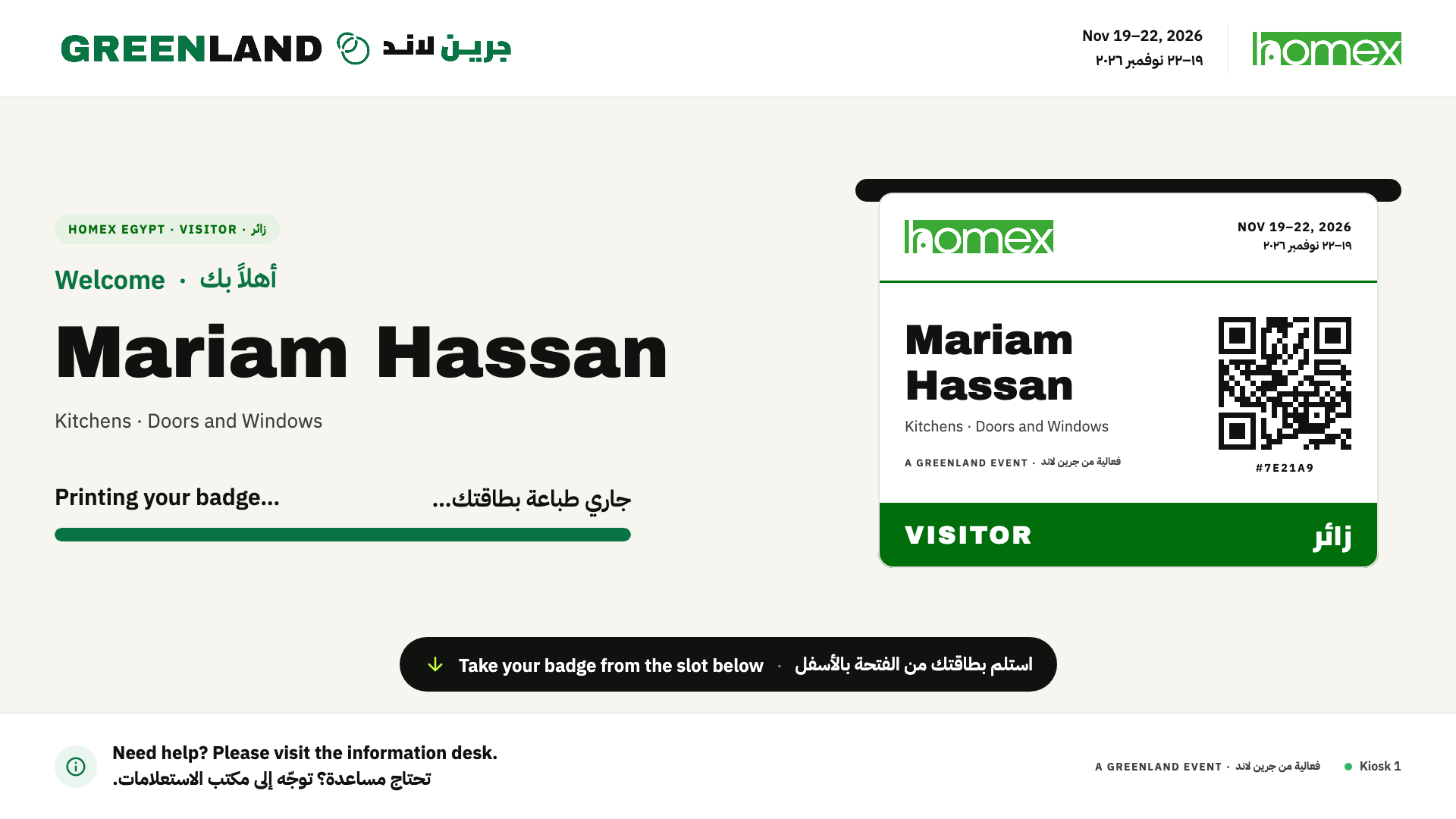
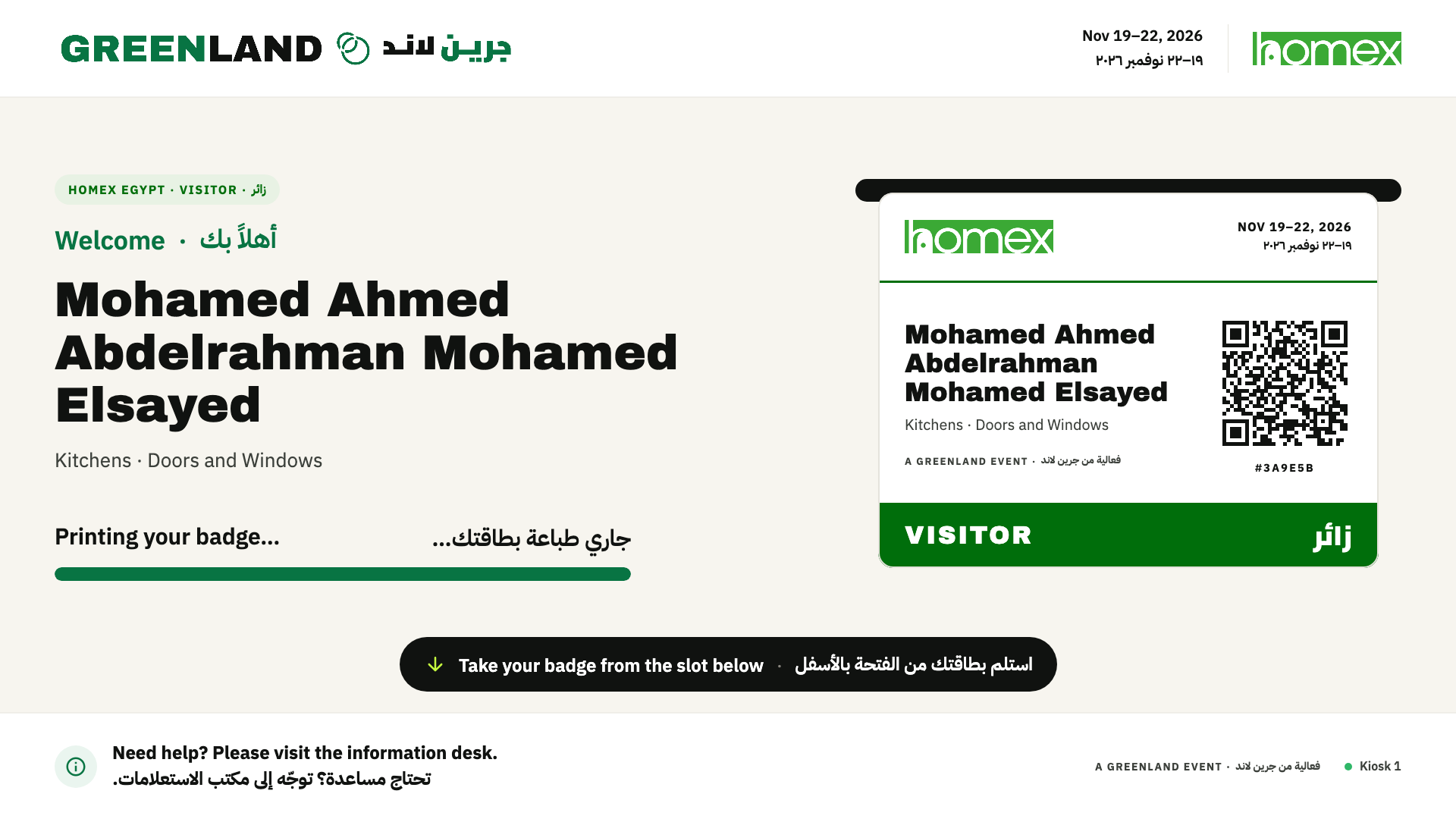
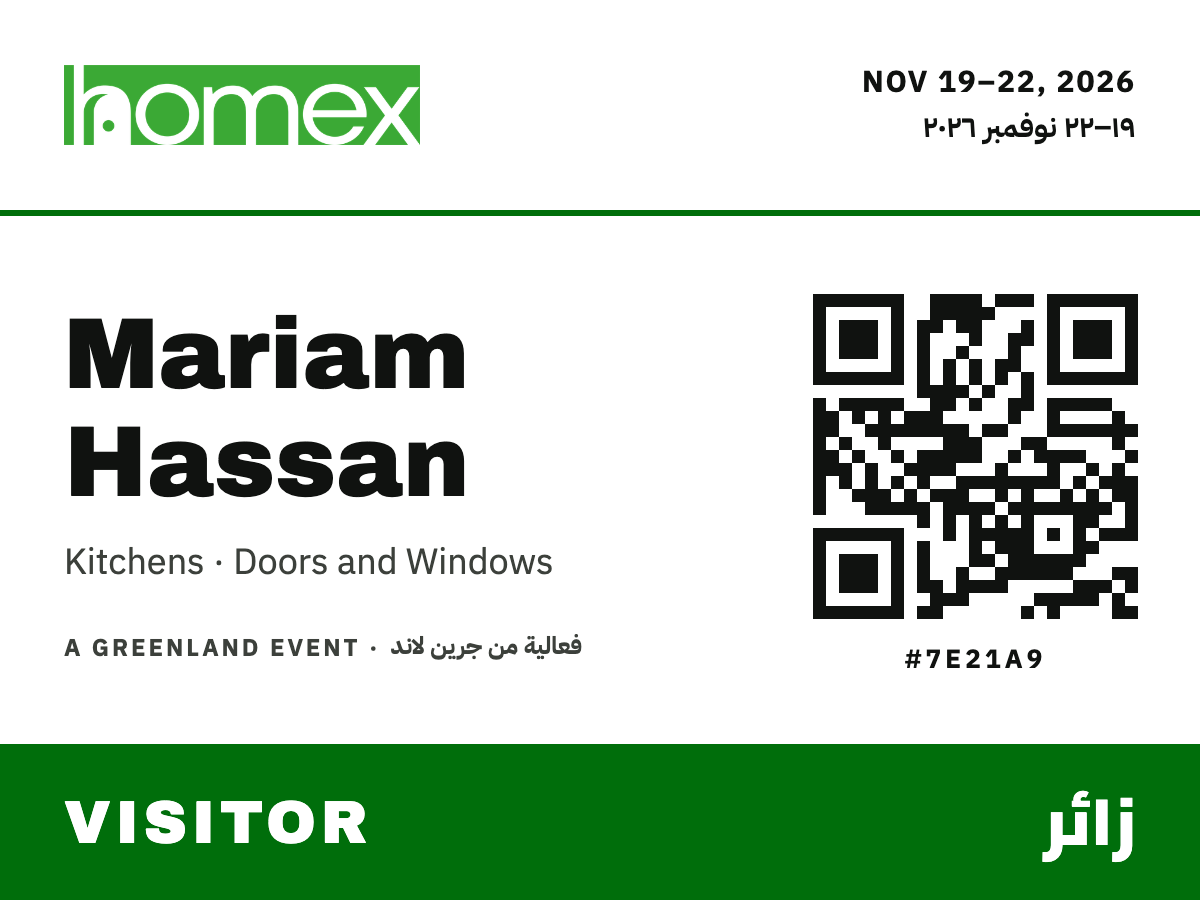
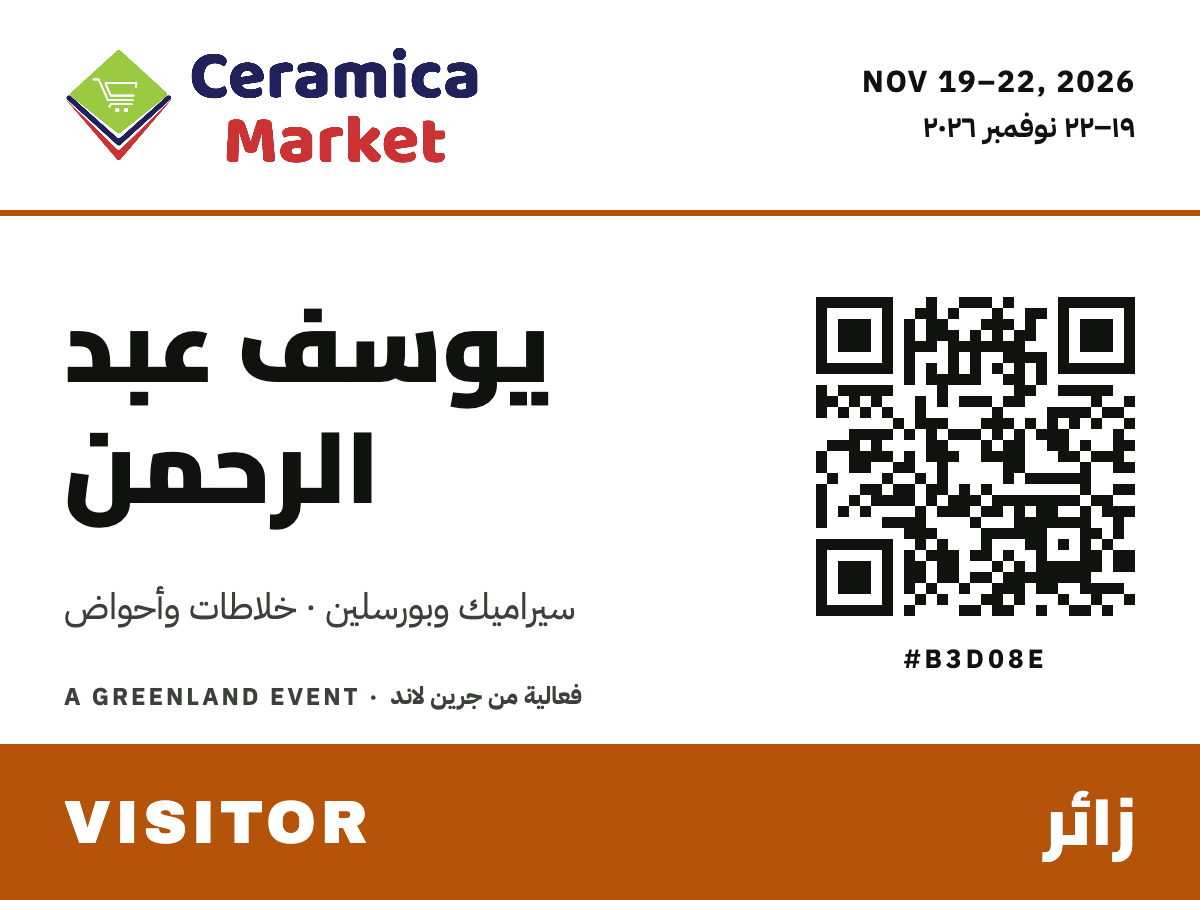
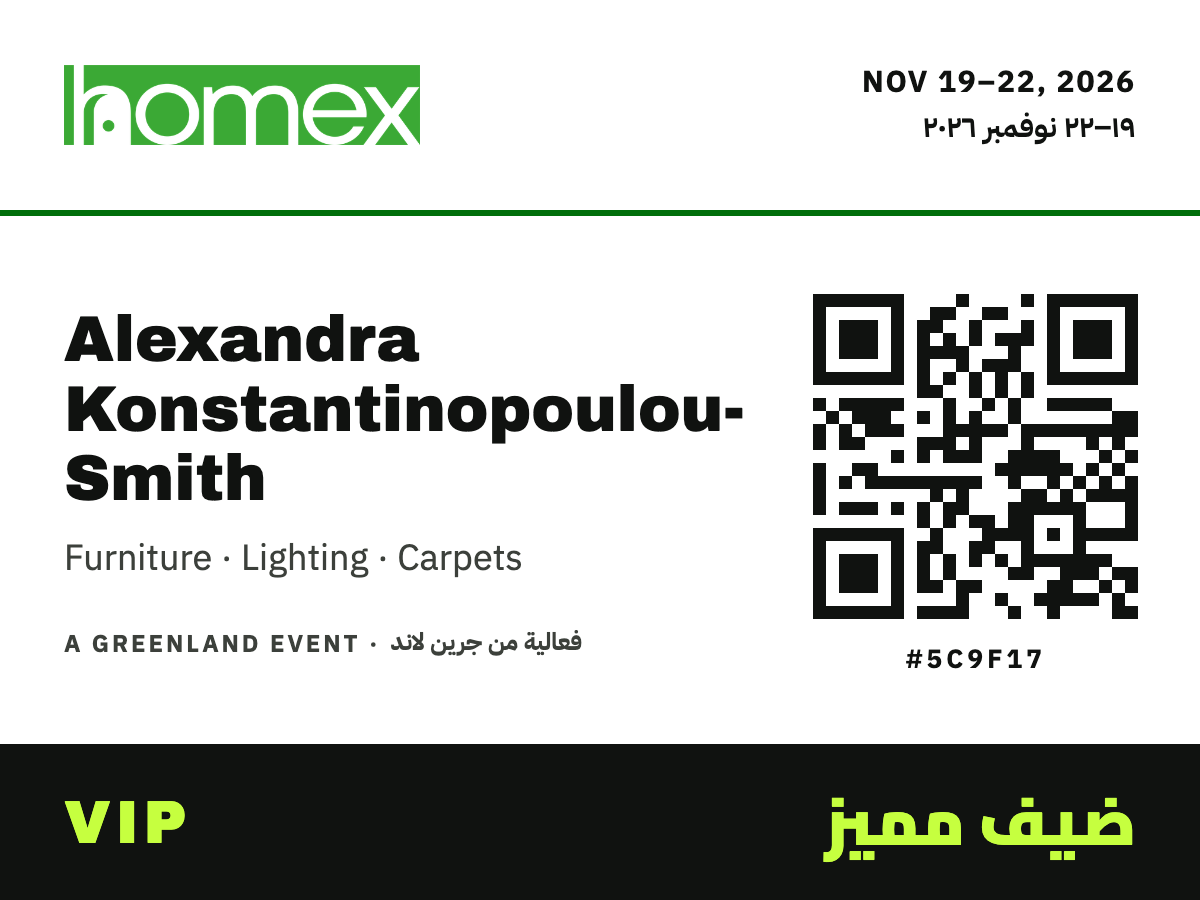
A 4 × 3 in colour label at 300 dpi. It is drawn with the same Compose code as the on-screen preview and printed as an image, so Arabic names come out shaped and right-to-left on any printer driver. Long names shrink to fit and wrap between words, never mid-word. The QR repeats the visitor's pass, so exhibitors can scan the badge at their stands.
The Vision
GreenLand runs two exhibitions side by side — HomeX and Ceramica Market — at the same venue over the same four days, and every registered visitor already holds a QR pass sent on WhatsApp or by email. PassGo turns the entrance into a self-service lane: the visitor holds the pass under a scanner, the kiosk checks them in on that exhibition's own website and prints a personalised colour badge in seconds, with no one behind the desk. It is a Windows kiosk app built with Compose for Desktop for the November 2026 editions of both shows.
How a Visit Works
- Scan. The visitor holds the pass from WhatsApp or email under the USB scanner.
- Match. The pass is found instantly in the kiosk's saved copy of both exhibitions' visitor lists, even with no internet.
- Check in. The check-in goes to the exhibition's website, or waits in a queue and uploads the moment the website is reachable again.
- Print. The badge prints while the screen greets the visitor by name, then the kiosk resets for the next person.
Every Screen at a Glance
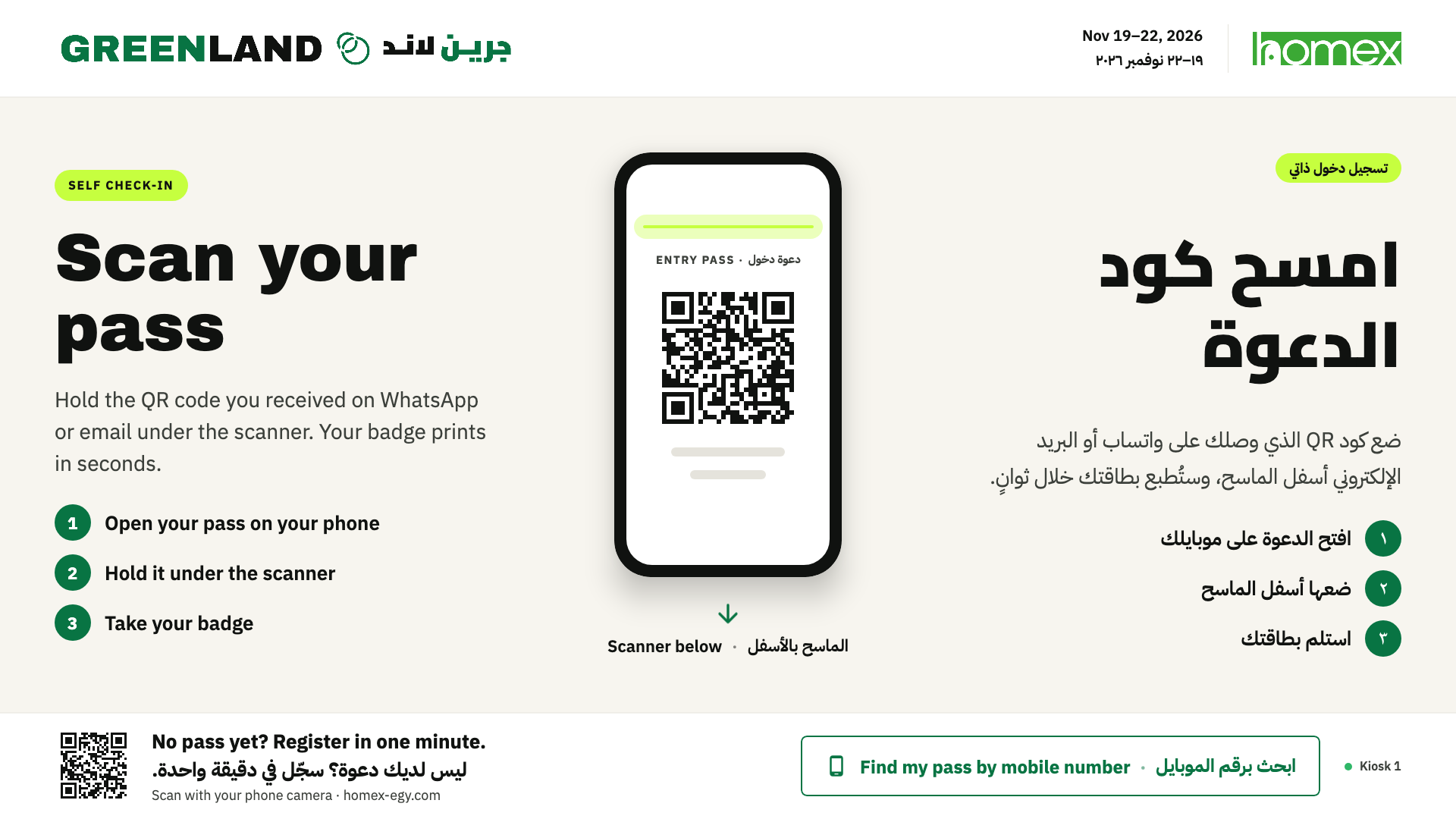
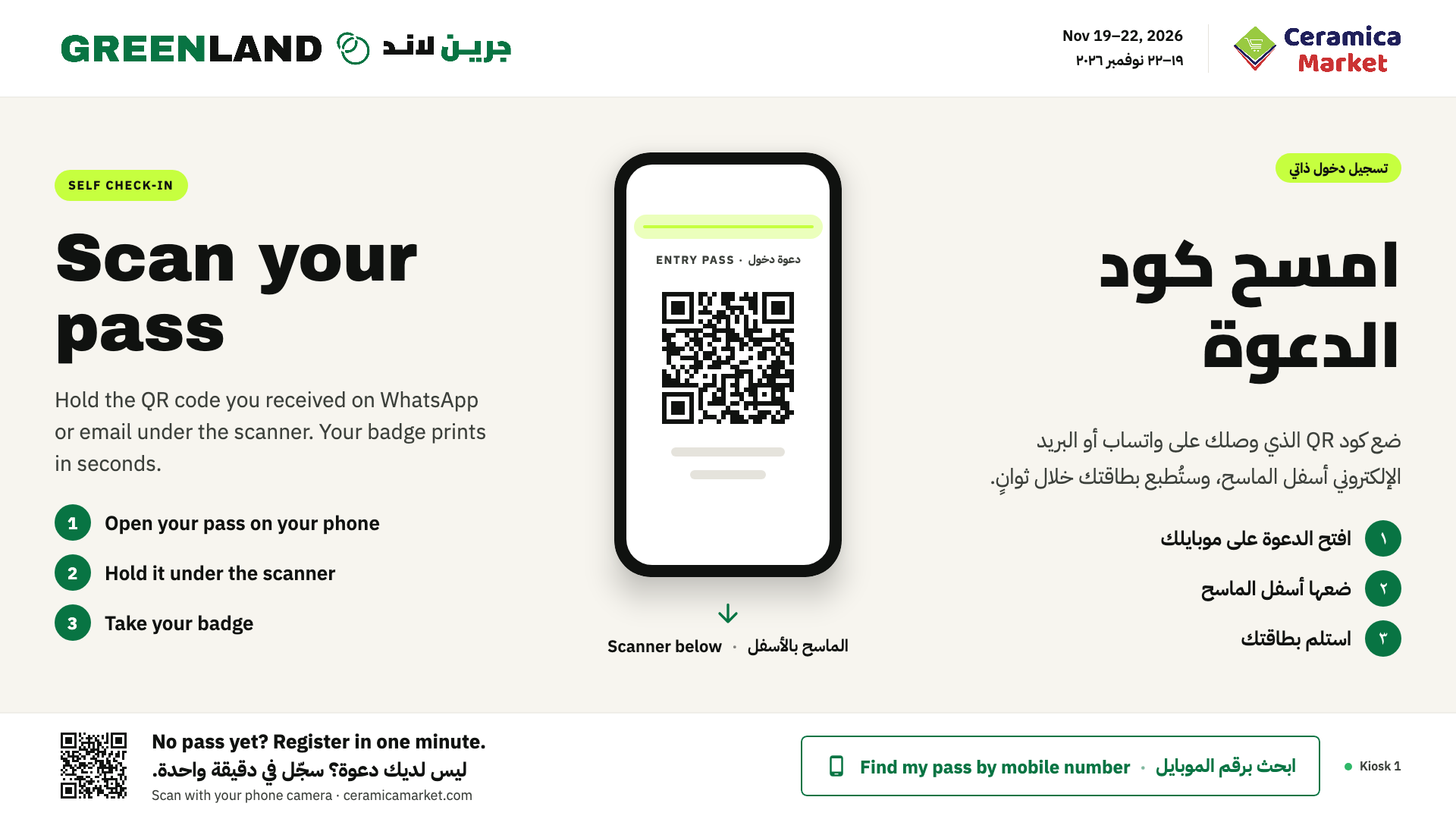
Scan Your Pass
The idle screen: three bilingual steps, a phone mock-up pointing at the scanner, and a footer QR that opens the registration page for walk-ins.
Printing
Greets the visitor by name with their interests and category, next to a live preview of the exact badge coming out of the printer. Long names shrink and wrap between words.
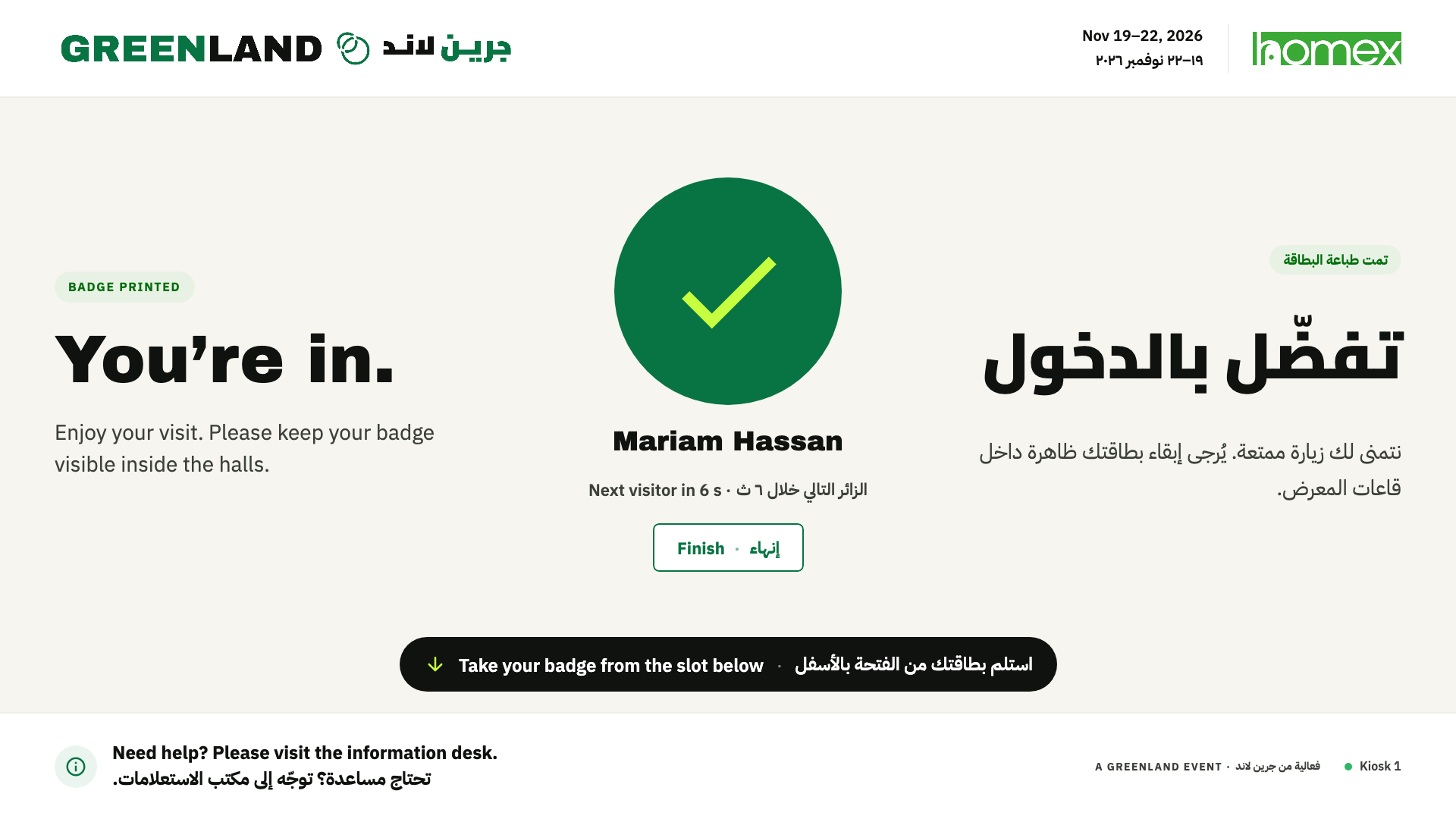
You're In
Confirms the check-in and counts down back to the start screen; staff choose how many seconds.
Welcome Back
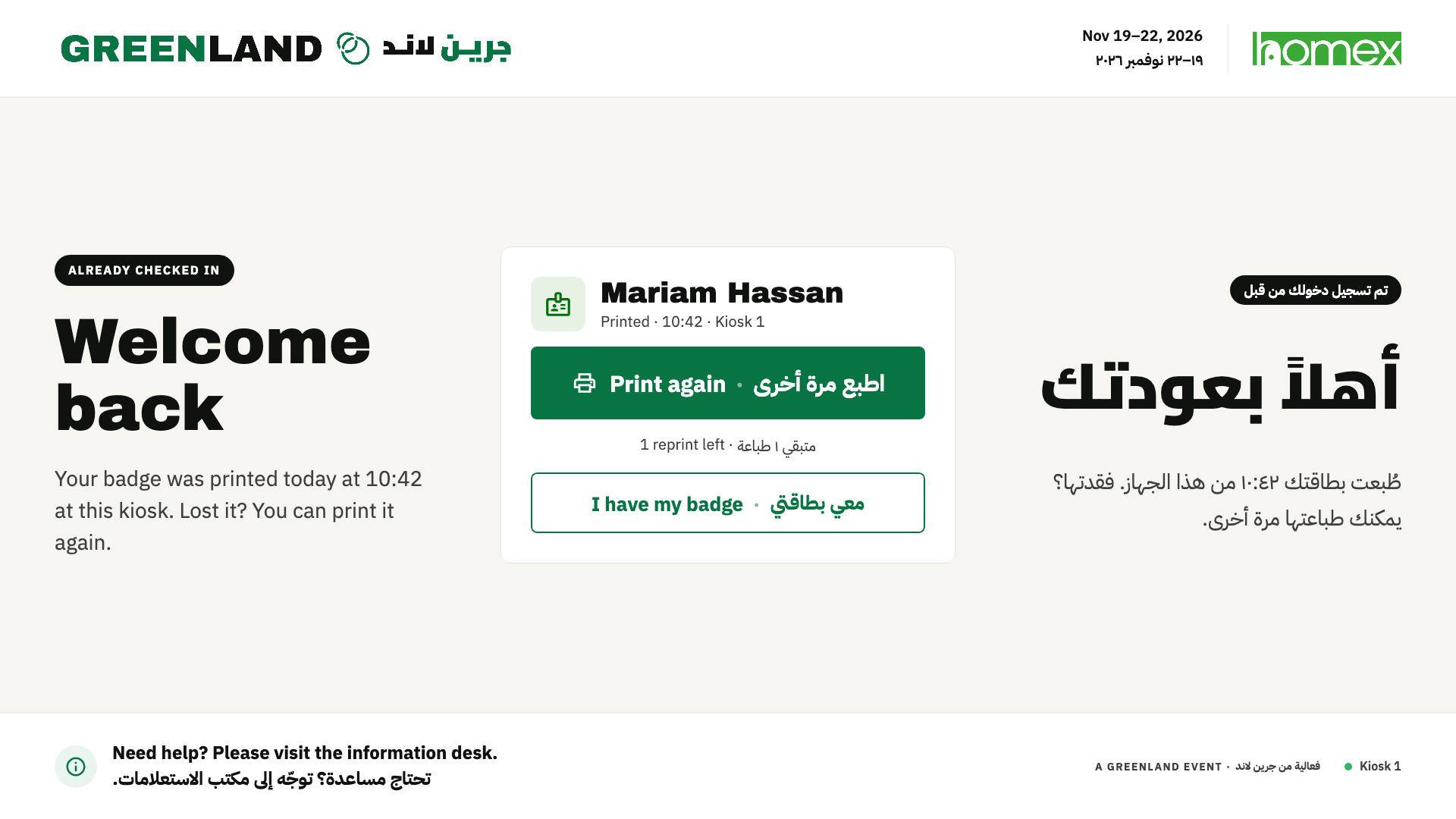
A visitor who already checked in can reprint a lost badge, up to a per-pass reprint limit. After that, the kiosk sends them to the information desk.
Find My Pass
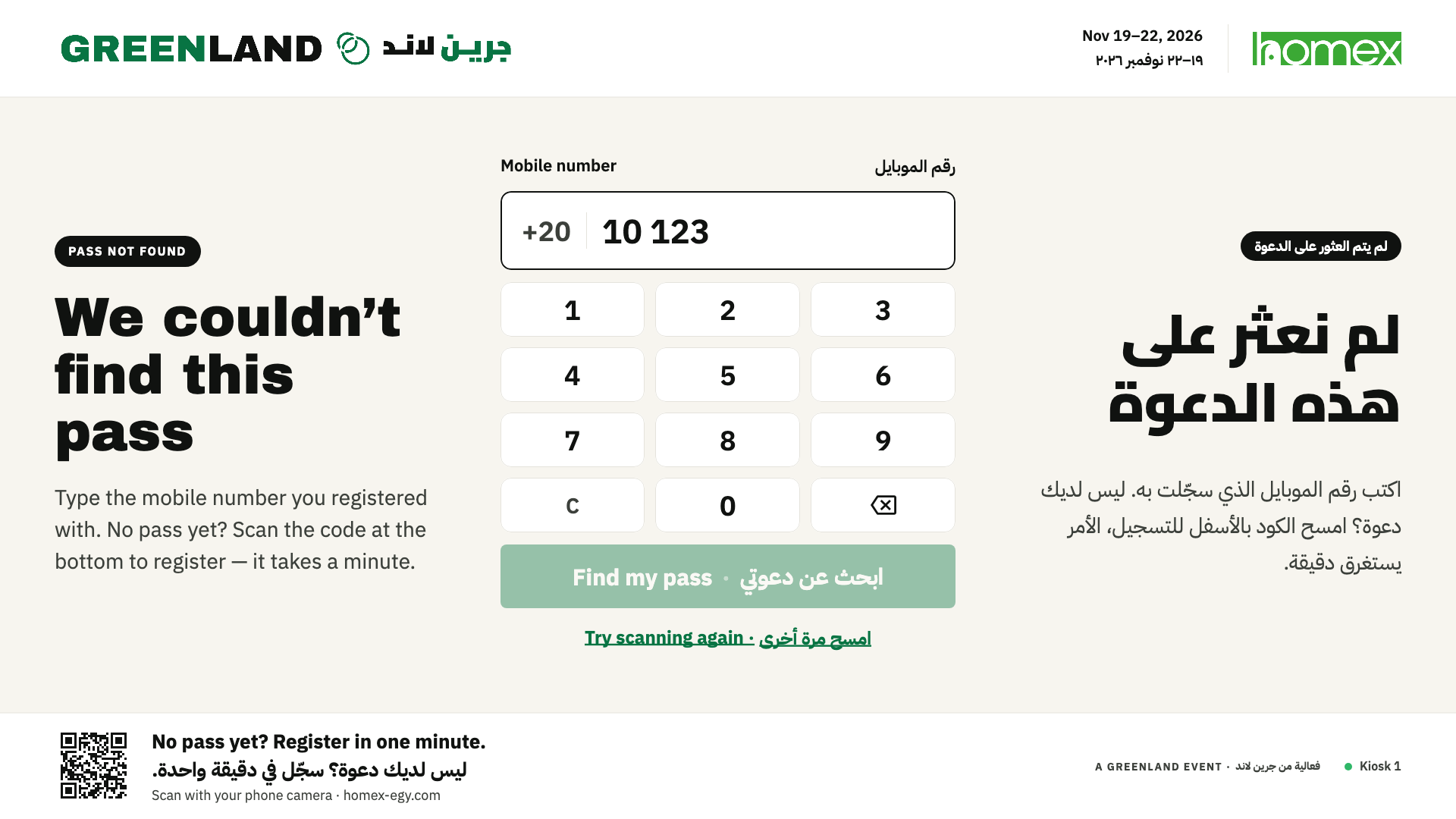
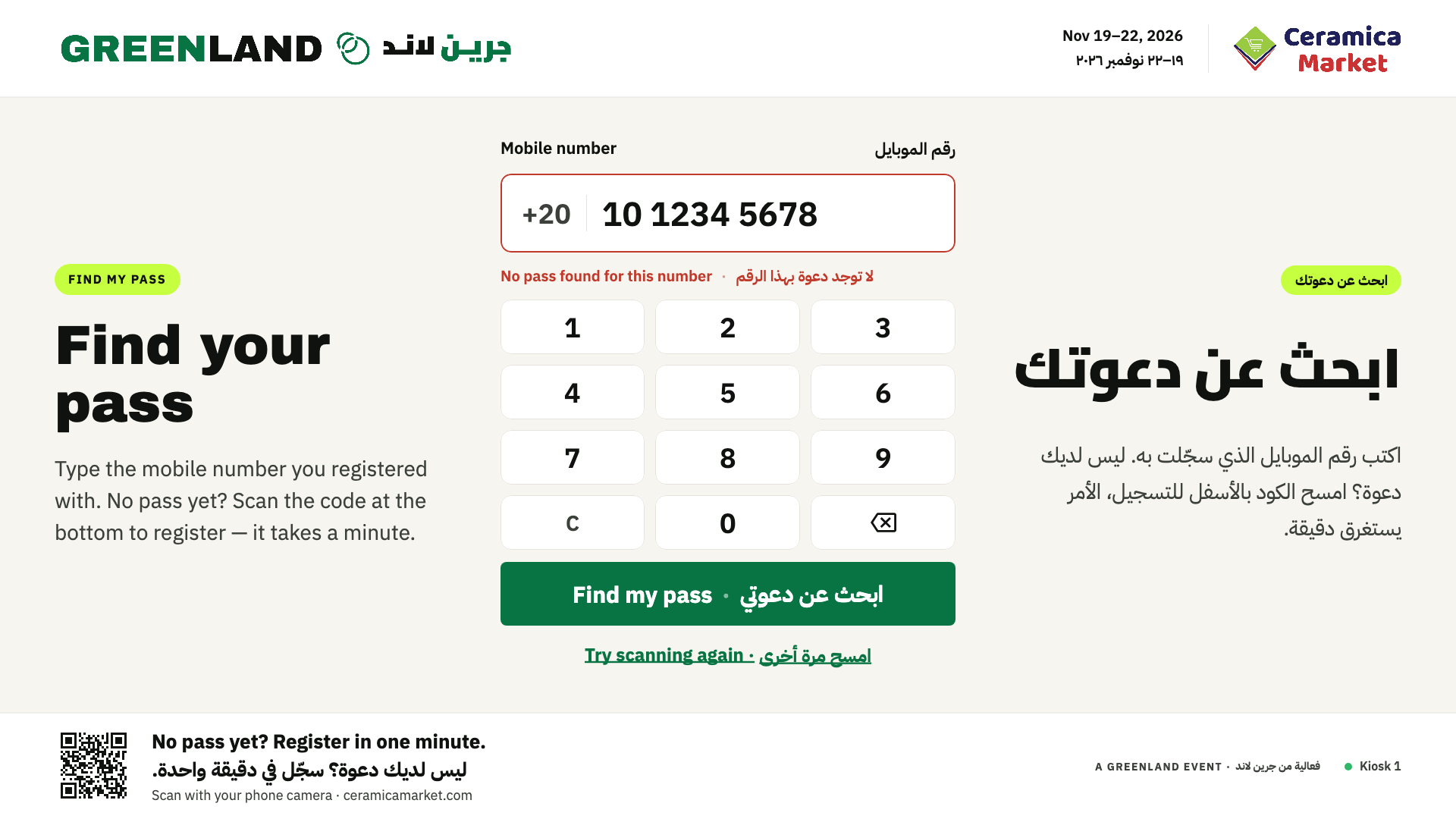
If a pass won't scan or isn't found, an on-screen keypad finds it by the mobile number used to register.
Paused
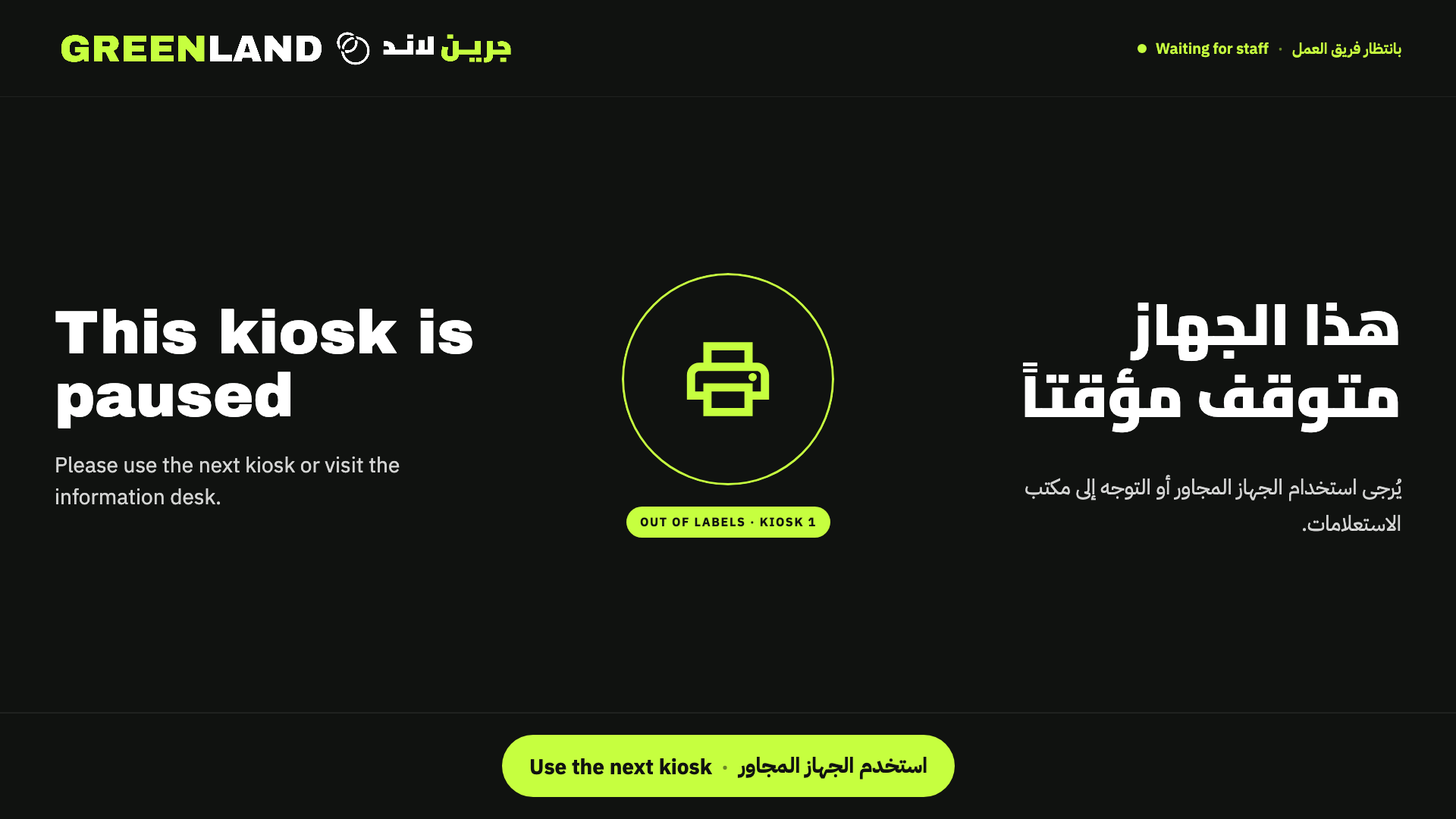
The kiosk watches the printer (out of labels, paper jam, cover open, out of ink, offline) and pauses itself, pointing visitors to the next kiosk until staff fix it.
Two Exhibitions, One Kiosk
The screen and the badge follow whichever show is active, in its own branding. Passes from the other exhibition still get a badge.
Staff Station Panel
Hidden from visitors and locked with a PIN: sign in to each website, choose the printer and run a test print, set the reprint limit, reset timer and station name, follow today's stats and the upload queue, and search any visitor across both exhibitions and every edition.
Engineering Highlights
- Offline-first. Each exhibition's full visitor list is cached in Room (SQLite) and refreshed every 3 minutes. Check-ins wait in a local queue and upload as soon as the website answers, so a dropped connection never stops the entrance.
- A scanner with no text field. The USB QR scanner works in keyboard mode, and a global AWT key dispatcher catches its burst of keystrokes whatever has focus. Visitors never see an input box, and stray keys go nowhere.
- Locked-down kiosk. Full-screen, undecorated and always on top. Alt+F4 does nothing; staff leave only through the PIN-protected panel.
- Silent badge printing. The badge is rendered off-screen with Compose at 300 dpi and sent straight to the label printer through the Java Print Service with no dialogs. The printer's state is checked so the kiosk can pause itself on any problem.
- No extra backend. PassGo talks directly to the two exhibitions' own Spring Boot websites, which gained a small staff API and revocable kiosk device tokens. Staff sign in once per website with their mobile number and a WhatsApp code; after that the kiosk stays signed in across website restarts and deploys.
- Bilingual by design. Every message appears in English and Arabic side by side, with IBM Plex Sans Arabic and Cairo for the Arabic type and Arabic-Indic digits.
- Clean Architecture + MVVM. Use cases for find, check-in and print, repositories behind interfaces, and one sealed
KioskUistate that drives a single stateless screen. - Tested by rendering. Tests render every kiosk state at 1920 × 1080 and the badge at print size (the screenshots on this page come straight from them), alongside pass-code, search and end-to-end tests against a local copy of the websites.